"Which SSD is fastest?"
It is:
"Which storage solution is right for my system and workload?"
This guide explains the major factors to consider when choosing an SSD, including NVMe vs SATA, NAND technology, capacity, endurance, compatibility and application requirements.
What Is an SSD?
An SSD, or Solid State Drive, is a storage device that uses NAND flash memory to store data electronically.
Unlike traditional hard disk drives, SSDs have no spinning magnetic platters or mechanical read/write heads.
An SSD generally involves several important components, including:
- NAND flash memory
- Storage controller
- Firmware
- Interface
- Power-management and error-management functions
The combination of these components affects how the storage device performs within a particular system.
NVMe vs SATA SSD: What's the Difference?
One of the first things to understand is the difference between the storage interface/protocol being used.
SATA SSD
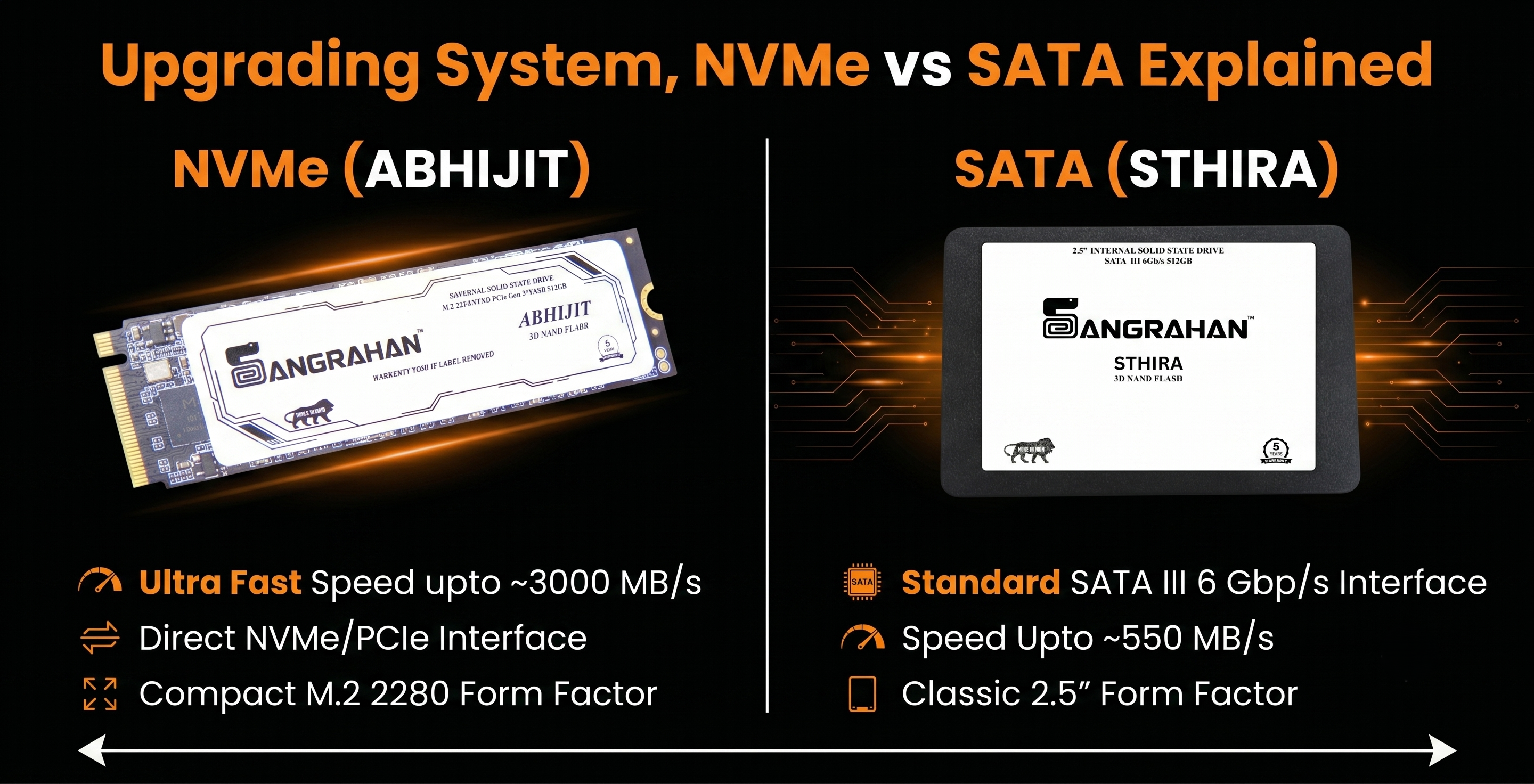
SATA SSDs use the SATA interface and are commonly found in 2.5-inch form factors.
They are widely used for:
- Laptop upgrades
- Desktop computers
- Everyday computing
- Office systems
- Compatible legacy systems
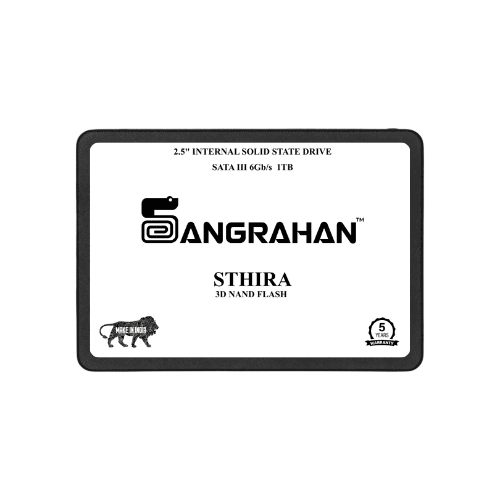
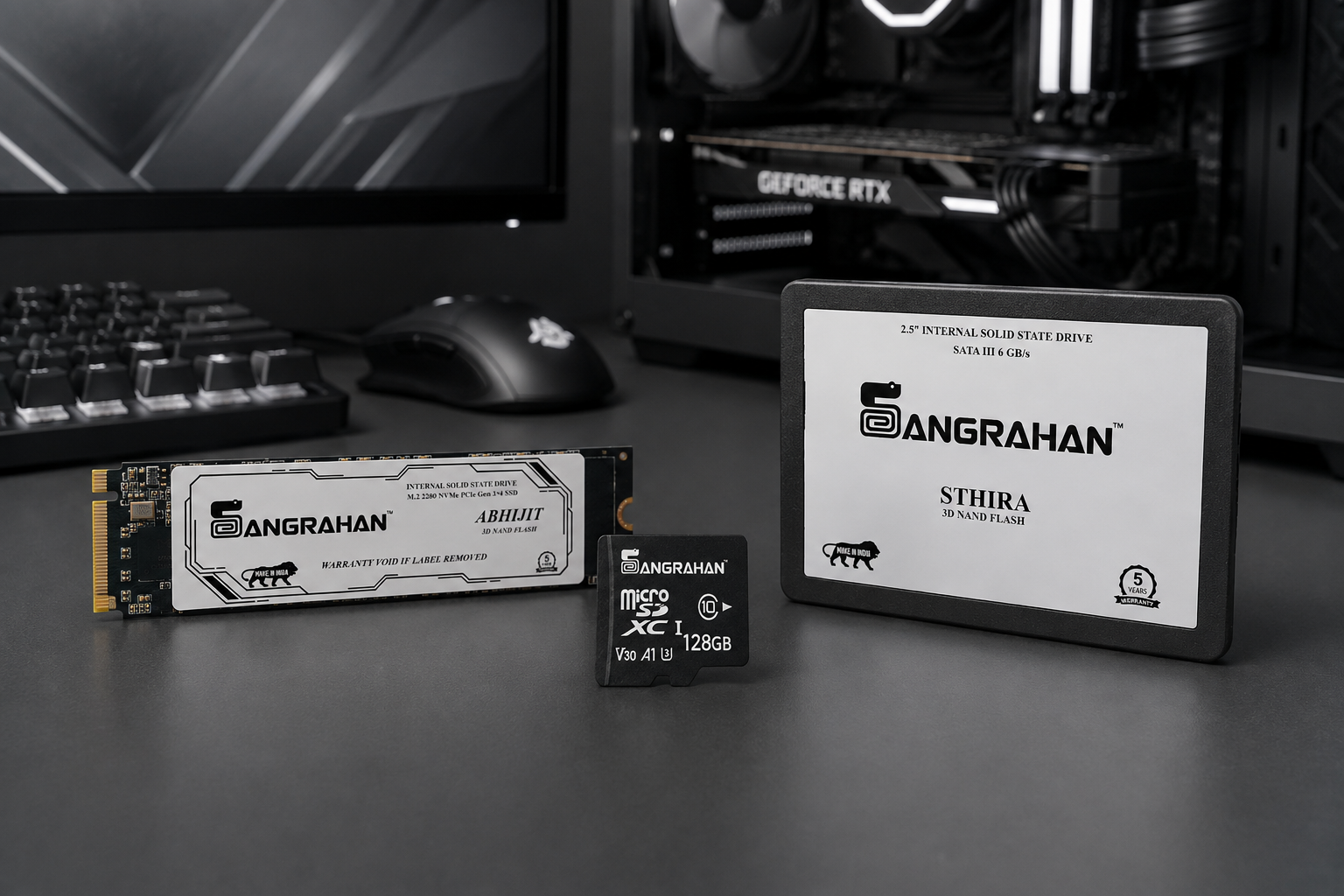
Sangrahan Sthira is a 2.5-inch SATA III SSD designed for compatible systems and practical storage upgrades.
NVMe SSD
NVMe is designed to communicate with storage through PCIe.
NVMe SSDs can offer substantially higher performance potential than SATA SSDs, depending on the PCIe generation, controller, NAND, system configuration and workload.
They are commonly used for:
- Performance-oriented PCs
- Gaming systems
- Content creation
- Professional workstations
- Applications that benefit from high storage throughput
Sangrahan Abhijit uses a PCIe Gen 3.0 ×4 NVMe interface and is specified for read speeds of up to 3000 MB/s and write speeds of up to 2500 MB/s.
Actual performance depends on the host system and workload.
Does M.2 Mean NVMe?
No. This is an important distinction. M.2 is a physical form factor. NVMe is a storage protocol designed for PCIe-based communication. An M.2 drive can use different interfaces depending on the product and system. Before purchasing an M.2 SSD, always check the motherboard or laptop specifications for compatibility.
What Is NAND Flash?
NAND flash is the non-volatile memory technology used to store data in an SSD.
Unlike volatile memory, NAND retains stored information even when the system is powered off. NAND is organized into memory cells, and different NAND architectures store different numbers of bits per cell.
Two commonly discussed types are:
- TLC — Triple-Level Cell
- QLC — Quad-Level Cell
TLC vs QLC
TLC stores three bits per memory cell, while QLC stores four bits per cell.
This difference can influence several characteristics, including:
- Storage density
- Cost
- Write behaviour
- Endurance considerations
- Workload suitability
However, NAND type should not be considered in isolation. The complete SSD design also involves the controller, firmware, flash quality, error correction, caching, thermal behaviour and intended workload.
Therefore, saying that one NAND type is automatically "best" for every application oversimplifies SSD selection.
How Much Storage Do we Need?
Capacity should be based on what you actually store and how your system is used.
For example:
- Everyday computing Operating system, applications, documents and general files.
- Gaming Games can consume substantial storage, particularly modern large installations.
- Content creation Photos, video projects, editing caches and media libraries can quickly increase storage requirements.
- Business Documents, applications, project data and operational workloads may determine capacity needs.
- Enterprise and industrial Capacity planning may also need to consider workload patterns, data retention, write intensity, deployment environment and backup architecture. Capacity is therefore only one part of the storage decision.
What Is SSD Endurance?
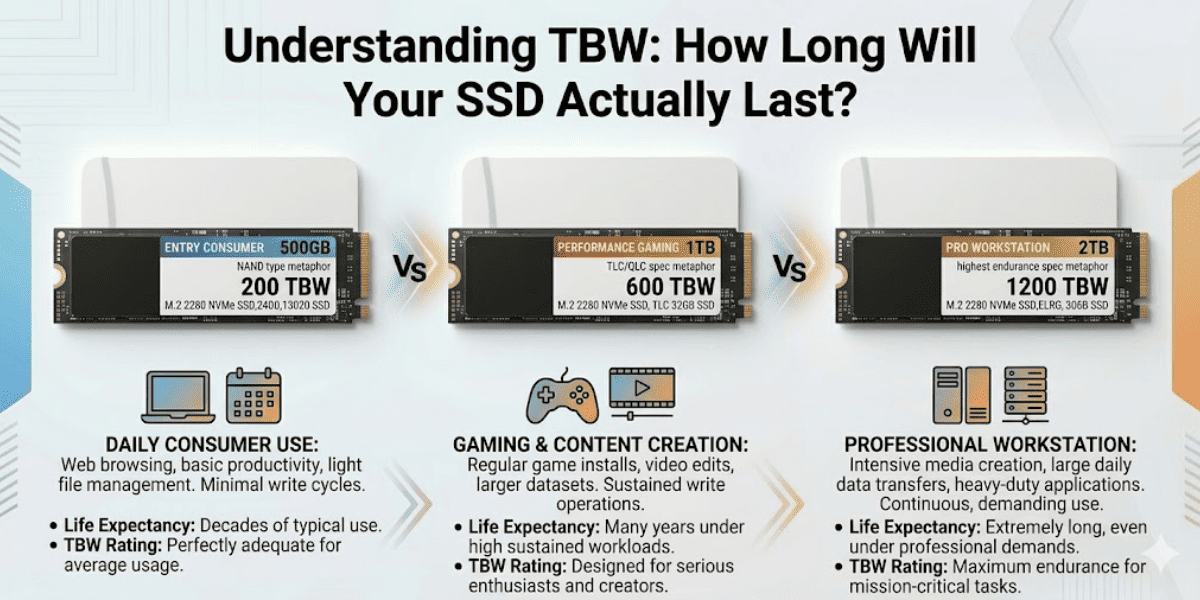
SSD endurance describes how much write activity a storage device is designed to handle over its rated life.
One commonly used endurance specification is:
TBW — Terabytes Written TBW represents a rated amount of data that can be written to a drive under specified conditions.
For example, if an SSD has a specified TBW rating, that rating provides a useful reference when evaluating the drive for a particular workload.
TBW should not be interpreted as a precise prediction of the exact moment an SSD will fail. Actual behaviour depends on many factors, including workload, operating conditions, NAND characteristics and SSD design.
What Is MTBF?
MTBF stands for:
Mean Time Between Failures It is a statistical reliability metric used in product and system engineering. It is important to understand that an MTBF figure should not be interpreted as: "This SSD will operate continuously for exactly this many hours." For example, a product specification may state an MTBF figure of 2,000,000 hours. That is a reliability metric, not a literal expected individual lifespan of more than two centuries.
The Golden Rule: MTBF ≠ Individual Lifespan
A common misconception is that an MTBF rating predicts how long a single device will last. For example, if an enterprise SSD specifies an MTBF of 2,000,000 hours, this does not mean the individual drive will run continuously for 228 years.
- It is a group metric: MTBF is calculated by testing a large population of devices over a specific period.
- The 63% Rule: Mathematically, due to exponential distribution in random failures, approximately 63% of newly deployed components will fail before reaching their rated MTBF.
Why MTBF Matters
- Predicting Downtime: Helps IT and engineering teams estimate how often a fleet of devices will require maintenance.
- Spare Parts Planning: Allows inventory managers to calculate how many backup units to keep in stock.
- Vendor Comparison: Provides an objective baseline to compare the hardware stability of different manufacturers.
Why Workload Matters
The same SSD may be suitable for one workload and less suitable for another. Consider these examples.
- Gaming A gaming system may benefit from high storage performance, suitable capacity and compatibility with the motherboard or laptop.
- Laptop Upgrade For an older compatible system, moving from an HDD to a SATA SSD can provide a major improvement in everyday responsiveness.
- Content Creation Creators may need a combination of performance, capacity and an appropriate workflow for large media files.
- Business Systems Businesses may need to consider reliability, workload characteristics, compatibility, support and deployment requirements.
- NAS and Server Applications Storage selection can involve workload intensity, endurance, compatibility, capacity and system architecture.
- Industrial Applications Industrial storage decisions can require additional consideration of operating environment, temperature, workload pattern, endurance, system compatibility and data requirements.
This is why storage should be selected around the application.
Sangrahan Strategic Storage Solutions
ABHIJIT VICTORIOUS DATA MANAGEMENT SSD
-
NVMe SSD for performance-focused compatible systems and workloads.
STHIRA FOUNDATION OF STABLE STORAGE
-
2.5-inch SATA SSD for compatible systems and practical upgrades.
ANU ATOMIC POWER IN EVERY BYTE
-
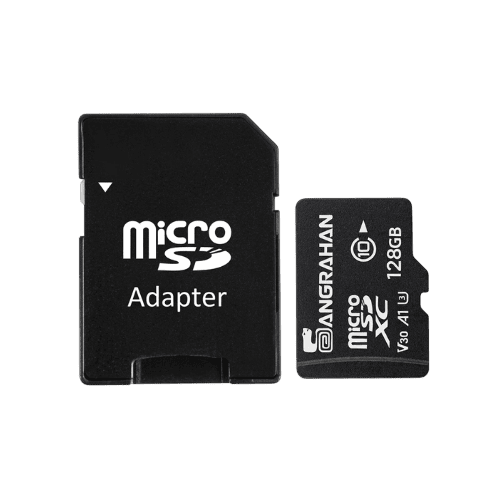
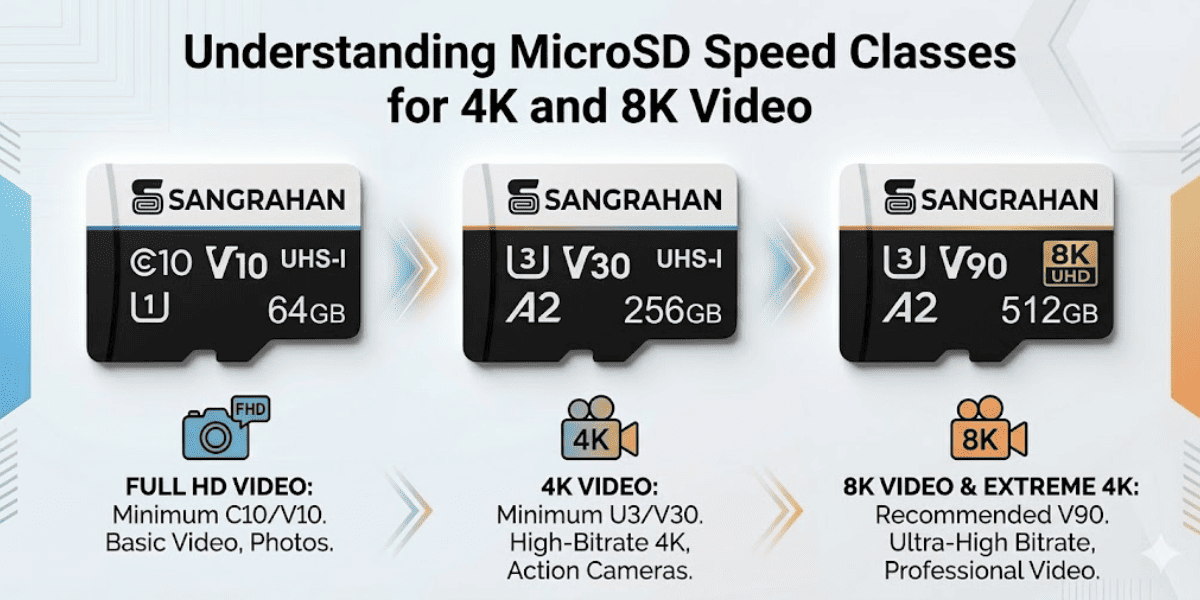
microSDXC storage for compatible portable devices and applications.
Sangrahan approaches storage through three solution worlds:
CONSUMER
-
Storage for everyday computing, gaming, creators, students and home users.
ENTERPRISE
Storage requirements for business systems, servers, NAS, virtualization, backup and edge environments.
Enterprise deployments should be evaluated according to the specific workload, system architecture and endurance requirements.
INDUSTRIAL
Storage for connected environments such as automation, embedded systems, surveillance, data logging, edge computing and smart manufacturing.
Industrial deployments require application-specific evaluation rather than simply selecting a consumer drive based on maximum advertised speed.
A Simple SSD Selection Checklist Before choosing an SSD, consider these seven questions:
-
1. Is it compatible with my system?
Check the interface, form factor and system specifications.
-
2. What workload will it handle?
Gaming, office work, media creation, server workloads and industrial applications can have different requirements.
-
3. How much capacity do I need?
Choose enough capacity for the operating system, applications and data while considering future requirements.
-
4. What performance do I actually need?
Higher advertised speed does not automatically translate into proportional improvement for every workload.
-
5. What endurance is appropriate?
Consider write intensity and the relevant endurance specifications.
-
6. What environment will it operate in?
Temperature and operating conditions matter, particularly in demanding deployments.
-
7. What support and warranty are provided?
Warranty and after-sales support are important parts of a storage decision.
The Right Storage Is the Storage That Fits the Job
SSD selection shouldn't be reduced to one specification.
-
Performance matters.
-
Capacity matters.
-
Endurance matters.
-
Compatibility matters.
-
And most importantly:
-
The workload matters.
At Sangrahan, our approach is simple:
-
RIGHT STORAGE.
RIGHT APPLICATION.
From everyday computing to professional workflows and connected industrial environments.
CONSUMER • ENTERPRISE • INDUSTRIAL
SANGRAHAN
POWERING PERFORMANCE. PROTECTING DATA.
SANGRAHAN FOR EVERY CONSCIOUS JOURNEY.
MADE IN VIKSIT BHARAT